Microsoft’s OneNote is now free to use on all of your devices. I want to try it out, as the time management tools that I have used so far (Wunderlist, Trello, to name but a few), are not really working for me.
But when I went to look for the download links for my Windows machine, I was confronted with a problem: there are two different versions for PC: a 32-bit and a 64-bit version. For better compatibility with their Microsoft Office products, they recommend you use the OneNote software of the same bit version.
So How Do I Find Out Which Software Version I Have?
After a Google search I found the answer:
- Open any Office application
- Open the File menu, and then select Help.
- Find the version information, with in brackets whether it is 32 or 64-bit.
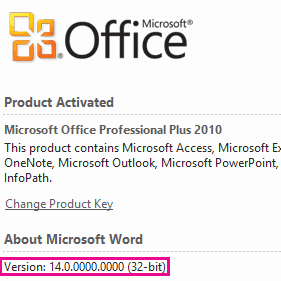
Now that was easy!
Thank you Matthew at howtogeek.com for providing me with the answer!